

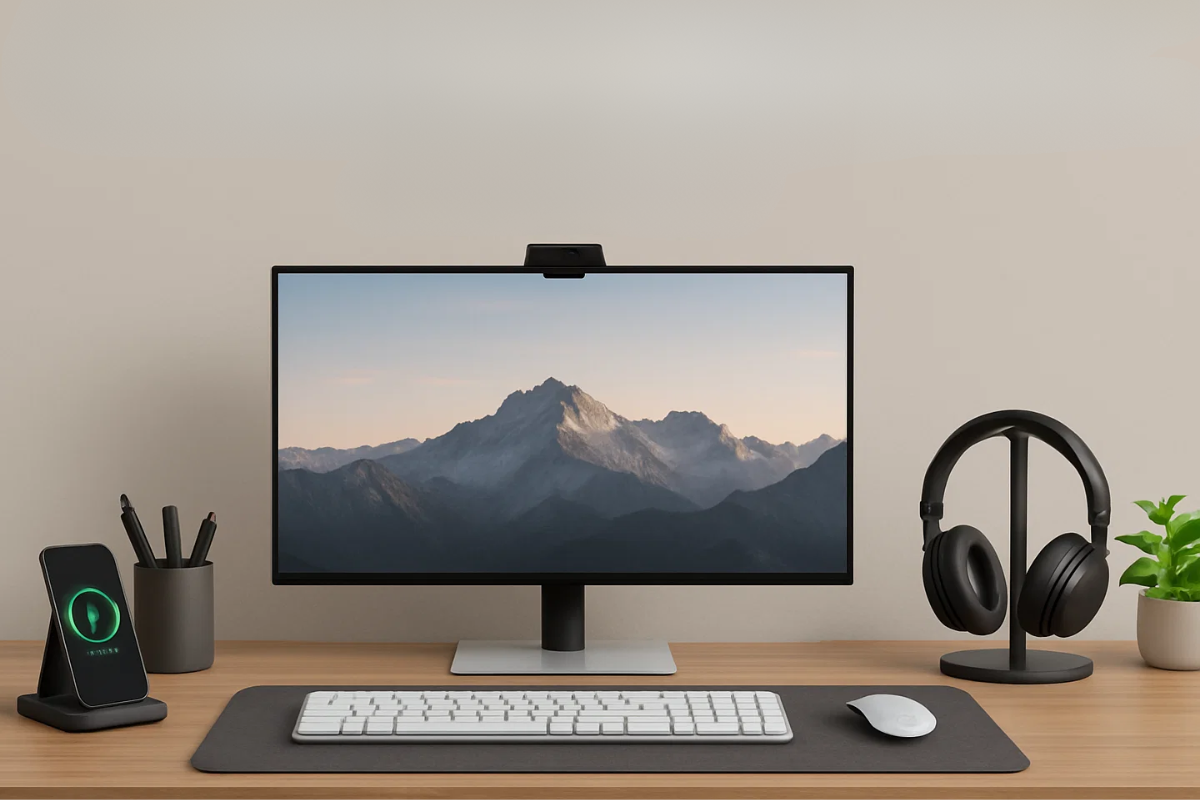
If your desk currently looks like a USB graveyard, the right PC desk accessories can feel like a cheat code. You do not need a full studio overhaul, just a few smart upgrades that clear visual noise and make it easier to actually sit down and work. These seven picks are about comfort, ergonomics and focus, not just Instagram lighting.
Instead of pushing random gadgets, these picks line up with what serious home office guides keep recommending in 2025: monitor arms to free space, light bars for eye comfort, vertical stands to park laptops, and cable kits that finally stop the spaghetti. If you already run a small form factor rig like the Tiny Titan mini PC build, the combination of a small tower and the accessories below can make even a shallow IKEA tabletop feel like a grown up workspace.
Before we break down the list, it helps to see a clean desk in motion. This video shows how a few simple accessories change both the look and feel of a normal setup: the screen lifts off the desk, the mat ties everything together, and cables stop being the main character.
If You Have a Desk, You NEED These 5 pc Accessories in 2025
1. Monitor Arm
A monitor arm clamps to your desk and lets the screen float at eye level. That clears a big chunk of space under the display and makes it easier to adjust height and distance without stacking books. Ergonomic guides note that a properly placed arm can reduce neck strain and even boost productivity by keeping your posture more neutral.
For Duel Monitor Setups:
2. Large Desk Mat
A full width desk mat protects the surface, replaces tiny mouse pads, and visually ties your keyboard, mouse, and laptop into one clean zone. Good pads add a smooth tracking surface and a bit of sound damping so your typing sounds less like thunder. Many 2025 desk accessory roundups list a premium desk pad as one of the simplest upgrades for a setup that feels intentional instead of thrown together.
3. Monitor Light Bar or Focused Desk Light
A monitor light bar sits on top of your screen and throws a controlled beam onto the desk without washing out the display. That means you can work at night without swinging a bright lamp into your face or staring at a glowing rectangle in a dark room. Productivity blogs call this one of the easiest ways to reduce eye strain because the contrast between screen and surroundings is not so harsh.
4. Cable Management Kit
A simple kit usually includes an under desk tray, cable clips, Velcro ties, and maybe a box to hide the power strip. The result is that bricks and excess cable length disappear from view, chair wheels stop snagging cords, and you no longer see a tangle every time you sit down. Many “essential desk accessories” guides now put advanced cable management systems right near the top of their 2025 lists.
5. USB C Hub or Dock
A compact USB C hub or dock pulls your main ports to the front edge of the desk. Instead of reaching behind the PC or crawling under the table, you plug microphones, drives, and SD cards into one tidy block. Wired’s home office gear guides consistently feature docks because once you have more than a couple of peripherals, easy reach I/O matters more than raw port count.
6. Headphone Stand or Hook
A simple stand or clamp on hook gives your headset a permanent home. That keeps it off the keyboard, chair back, and random piles of paper, and makes it easier to grab during a call instead of hunting around. Home office accessory guides often pair headphone stands with small charging pads so audio gear and wireless earbuds always return to the same tidy spot.
7. Vertical Laptop or Mini PC Stand
A vertical stand parks your laptop or mini PC upright, so it only uses a sliver of desk depth. That clears space in front of the monitor while still letting you run the machine in “closed lid” or docked mode. Modern home office lists highlight dual vertical stands that can hold multiple devices at once, which is perfect if you swap between a work laptop and a personal machine on the same desk.
For Multiple Devices:
Quick Recap Table
| Accessory | What it Fixes | Everyday Benefit |
| Monitor arm | Screen too low, stand eating desk space | Better posture and more room for notebooks and gear |
| Large desk mat | Tiny mousepad, scratched or noisy desktop | One smooth surface for keyboard, mouse, and coffee |
| Monitor light bar / task light | Eye strain in dark rooms, bulky lamps | Gentle light on your workspace without screen glare |
| Cable management kit | Cable spaghetti, snagged feet and chair wheels | Cleaner look and fewer tangles under and behind desk |
| USB C hub or dock | Ports out of reach behind PC or monitor | Plug everything in where your hands actually are |
| Headphone stand or hook | Headset constantly in the way or lost | Headphones live in one spot between calls and games |
| Vertical laptop / mini PC stand | Laptops and small rigs eating horizontal space | More open desk while still running docked devices |

Pingback: Best Mechanical Gaming Keyboards From Budget To Premium
Pingback: Kawaii PC Setup (A Gamer Girl’s Dream)